Final FINAL.doc
Because sometimes “final” isn’t actually final. Proofs, approvals, deadlines and a few breadcrumbs for Future You.
Oct 23, 2026
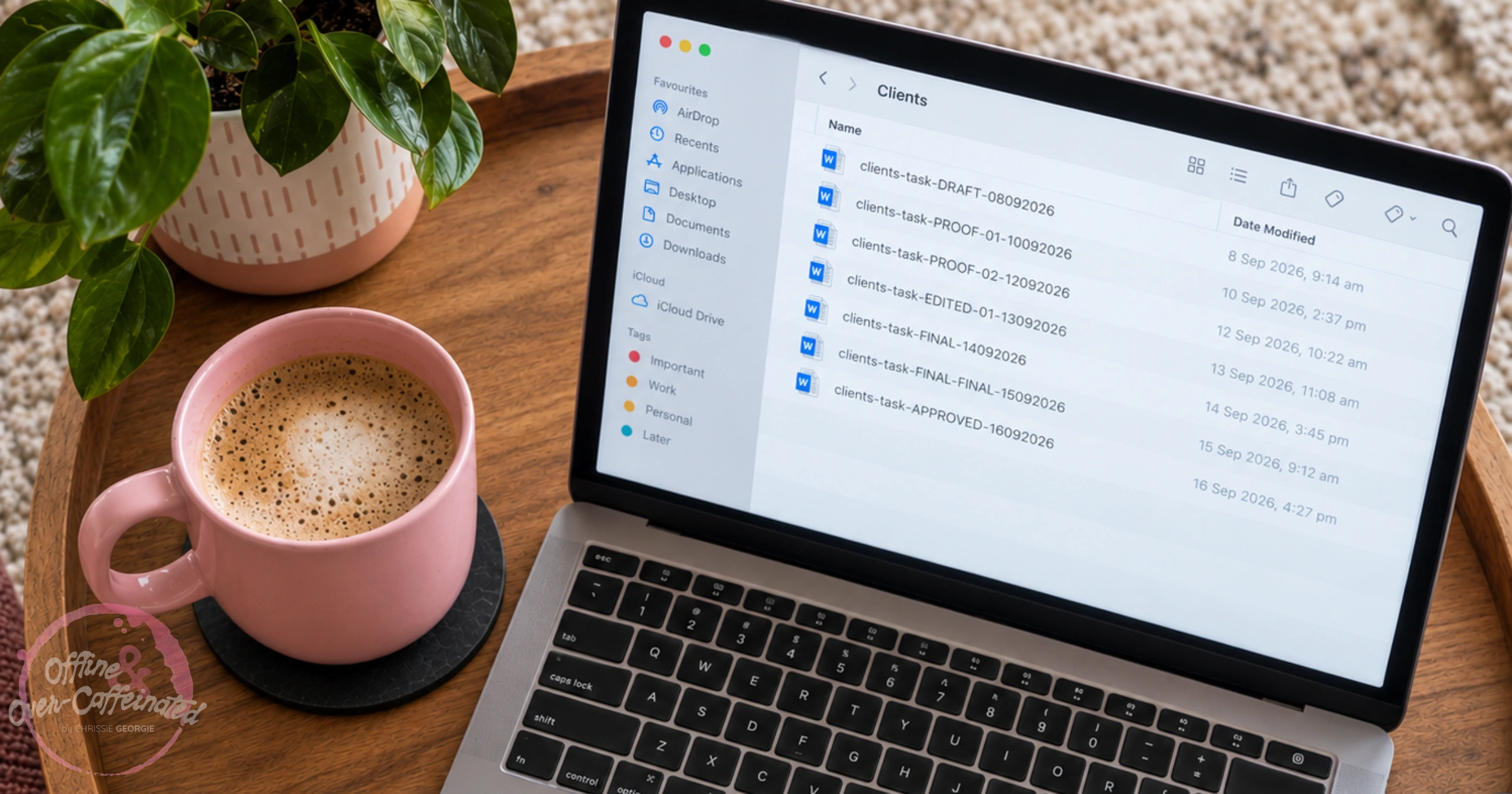
Not many things can overwhelm me, but opening a shared folder or drive and finding:
Final.doc
Final FINAL.doc
New Final.doc
🥴
Sure, technically there's a system here, I guess, somewhere...probably? And honestly, I get it.
When deadlines are breathing down your neck, you've got seventeen moving parts; naming a document (or renaming a document) almost always turns into a future-you problem. Except future-you is usually the one that needs to find the most recent 'final final.doc'.
And this is the part where I out myself, because I'm guilty of doing exactly what I'm telling you isn't the greatest idea (mega eye roll here).
One day I took the time to review why it happened and what I was doing at that time. Looking back, it was a snowball effect. A proof came back; there were edits; another proof went out; someone edited that document instead of sending the edits, so it retained the same name; something else was tweaked after what was supposed to be an approval; and that's where the snowball turned into an avalanche, and I had at least 4 or 5 'final' editions.
My saving grace here? All mine were dated, in folders with the connecting communications. So even though I had multiple 'final.doc' and 'final Final.doc ', there was a clear trail, and I could easily locate the last copy.
The important thing to remember: it's the clear trail that matters. That's what's going to save you the additional time.
Organisation isn't about pretending you'll never have a messy folder because you name something 'final Final new.doc'. It's curating a system that allows you to keep the path clear, even if many other things are happening at once. I'm definitely not free from the bouts of 'I'll sort that out later', and I don't pretend to be.
If you can set yourself a basic file naming system (even if you save it on a notepad somewhere), you'll automatically start using that formula for everything. Then, even with multiple final editions, you'll know exactly the one you need without second-guessing yourself. Especially when you're sticking to tight deadlines.
Let's set the scene here: it's Friday afternoon, the deadline is in 45 minutes, and there's been a proof, an edited proof, another edited proof, an approval email, one slight change after the approval and a final-final approved copy as the result. Now you're staring at six documents that almost look identical.
If you use your breadcrumbs, you'll know exactly which one to submit for the deadline.
Here are the breadcrumb statuses I use: Draft → Proof → Edits → Approval → Final → Archive.
At each breadcrumb stage, I add a version number and date. It doesn't need to be complicated.
My go-to is pretty simple: [Project Name]-[Breadcrumb Status (version number)]-[Date].
Project Breadcrumb-Proof01-01012026
Project Breadcrumb-Proof02-02012026
Project Breadcrumb-Approved01-03012026
Project Breadcrumb-Submit for Publication01-04012026
Remove the guesswork and protect the latest copy from being replaced with a previous version.
No one is perfectly organised all the time. Life happens, deadlines happen. Sometimes it's recognising that your own very structured system is starting to get a little sloppy and lazy, so take five minutes to fix it.
Future you doesn't care whether your folders are colour-coded within an inch of their life or if you have a document or two in a folder they shouldn't be in.
Future you just wants to find the document they need to complete the project on time, nothing more, nothing less.
Any maybe, just maybe, future you would prefer not to open 'final-Final-FINAL-2.doc' ever again!
Until the coffee runs out and chaos returns,
Chrissie ☕